
Portfolio Tools Overview
CleaRank’s portfolio tools help you design an allocation, test it against history, and practice running it on a virtual practice balance. Generate a portfolio from your goals, backtest any ticker mix, or start from 13 curated starter portfolios and 543 fund manager portfolios.
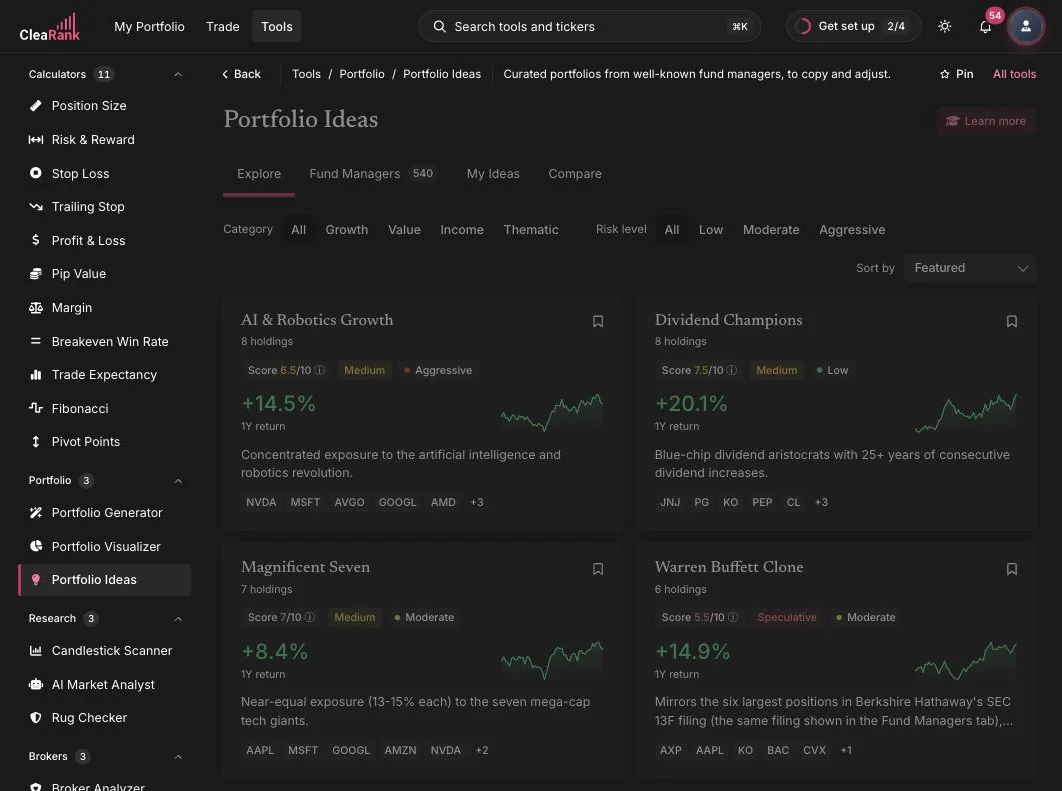
The three portfolio tools
Your real portfolio
The three tools above work on model portfolios. My Portfolio tracks the holdings you actually own, imported or synced from your broker, and has its own section in the top bar.
How the tools fit together
Each tool covers one stage of building a portfolio. The Portfolio Generator turns your goals into a concrete allocation: you describe your risk tolerance, time horizon, and investment amount, and it proposes a diversified mix with expected metrics and a rebalancing schedule.
The Portfolio Visualizer answers the question “how would this mix have behaved?” You enter tickers and weights, pick an analysis period and a benchmark, and get total return, CAGR, volatility, max drawdown, Sharpe and Sortino ratios, plus a Monte Carlo projection of possible futures.
If you would rather start from a proven template, Portfolio Ideas offers 13 curated starter portfolios and 543 fund manager portfolios built from public holdings disclosures, each with a quality score, a risk level, and a recent return sparkline.
A typical workflow
- Start with an idea. Browse Portfolio Ideas for a starter or fund manager portfolio that matches your style, or skip straight to the Generator with your own goals.
- Generate an allocation. Let the Portfolio Generator turn your risk profile, horizon, and amount into a concrete ticker and weight list.
- Backtest it. Run the mix through the Portfolio Visualizer to see historical performance, drawdowns, and how it held up in past stress periods.
- Practice it. Deploy the portfolio into the Trading Simulator as a basket of positions and watch it behave in live markets.
Frequently asked questions
Can I try a portfolio before I invest anything?
Yes. Every portfolio tool can deploy its result into the Trading Simulator, which runs on a virtual practice balance. You see real market quotes and realistic position tracking, with nothing of your own at stake.
What is the difference between the Generator and the Visualizer?
The Portfolio Generator builds an allocation from your goals and risk profile. The Portfolio Visualizer tests an allocation you already have, showing how those tickers and weights performed historically and how they might behave going forward.
Are the fund manager portfolios live copies of what managers hold?
No. They are built from public holdings disclosures, which are published with a delay, so they are a reference for studying how well-known managers allocate, not a real-time feed of their positions.
Is any of this financial advice?
No. The portfolio tools are educational and analytical. They show you how allocations are built and how they behaved historically, but every investment decision remains yours.
Try the portfolio tools
Build your first goal-based portfolio in a few minutes.
Related articles
CleaRank tools are for education and analysis. Nothing in this guide is financial advice.