
Getting Started with CleaRank
CleaRank is a web-based trading workbench: a simulator, a journal, portfolio tools, research tools, and 11 calculators behind one login. This guide takes you from signup to your first practice trade in about ten minutes.
What is CleaRank?
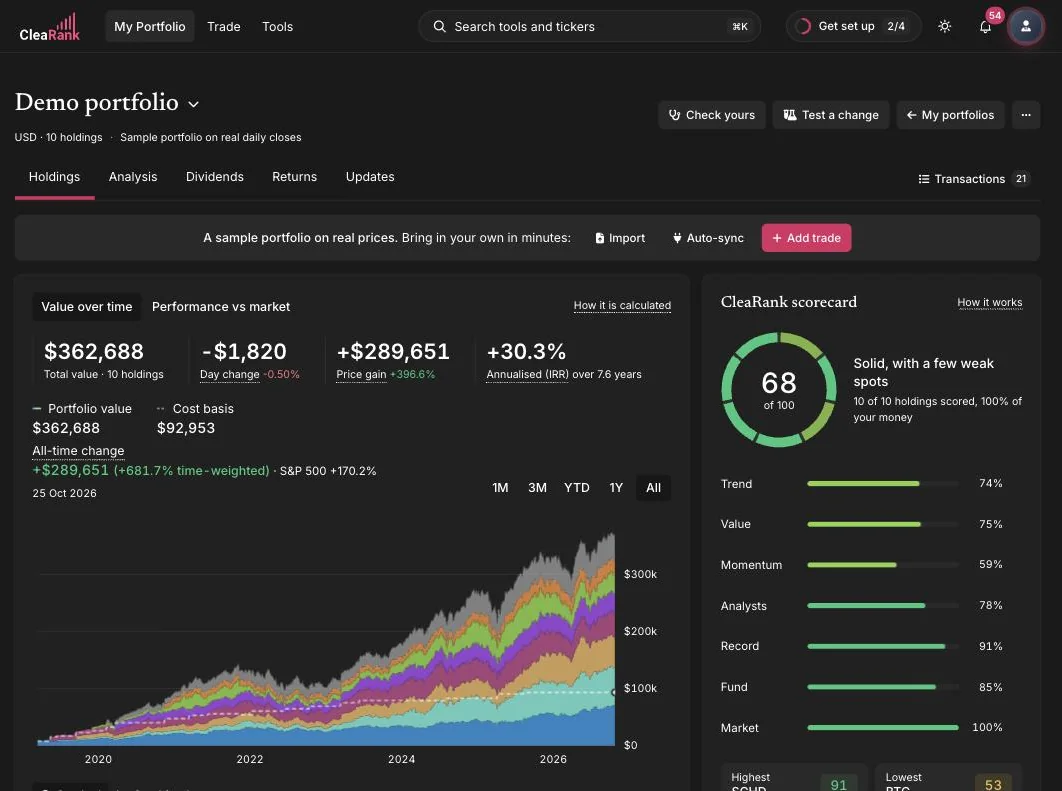
CleaRank is a trading workbench that runs at clearank.com. It works in any modern browser and can be installed as an app on desktop and mobile. One account gives you three sections in the top bar, My Portfolio, Trade and Tools, and every tool below sits in one of them:
- Trading Simulator. Practice on real market quotes with a virtual practice balance. No real money is ever involved.
- Trade Journal. Log trades manually or let closed simulator trades mirror in automatically, then review analytics, playbooks, and discipline tracking.
- Prop Firm Auditor. Check your trading history against prop-firm evaluation rule sets before you pay for a challenge.
- Portfolio tools. Generate, backtest, and explore portfolios, including 543 fund-manager portfolios in Portfolio Ideas.
- Research and analysis. Candlestick Scanner, Rug Checker, Emerging Trends, Broker Analyzer, and Slippage Auditor.
- 11 calculators. Position size, margin, pip value, risk and reward, and more, all with PDF and CSV export and saved scenarios.
Quickstart in 5 steps
- Create your account. Sign up at clearank.com/signup with email and password or with Google. CleaRank automatically creates your profile, a simulator account with a virtual practice balance, and a default trade journal. See Creating Your CleaRank Account.
- Take the onboarding tour. A short guided tour walks you through the workbench on desktop and mobile. The Setup guide in the account menu (your avatar, top right) shows what is done and what comes next, and the same menu can replay the tour.
- Place your first practice trade. Open the Trading Simulator, pick a symbol such as SPY or BTC/USD, and place a Buy or Sell order. Everything runs on your virtual practice balance.
- Review the trade in your journal. Every closed simulator trade mirrors into the Trade Journal automatically, complete with P&L and R-multiple.
- Make CleaRank yours. Pick a light, dark, or system theme in Settings, tune notifications, and install the app so CleaRank launches from your dock or home screen.
Guides in this section
Frequently asked questions
Do I need to download anything to use CleaRank?
No. CleaRank runs entirely in your browser at clearank.com. Installing it as an app is optional and is done from your browser, in Chrome, Edge or Safari.
Is the simulator trading real money?
No. The Trading Simulator uses a virtual practice balance with real market quotes. It is built for education and practice, and no real funds are ever at risk.
Can I use CleaRank on my phone?
Yes. The workbench is responsive and works in mobile browsers, and you can add it to your home screen as an app. The onboarding tour has a dedicated mobile version too.
How much does CleaRank cost?
CleaRank has a Free plan that needs no card. Pro and Unlimited are billed yearly, at $172.00 and $258.00 a year, with 40% off the first year for new customers ($103.20 for Pro, $154.80 for Unlimited). See Plans and Billing for the full comparison.
Ready to start?
Create your account and place your first practice trade in minutes.
Related articles
CleaRank tools are for education and analysis. Nothing in this guide is financial advice.