
Your Data and Security
Data and security in CleaRank come down to one rule: your trading data is private to your own account, and this page is the plain-language summary of how that works, what is encrypted, what you control, and what happens when you leave. For the legally binding details, see the Privacy Policy on clearank.com.
Your data is tied to your login
Everything you create in CleaRank belongs to your account: simulator accounts and trades, journals and journal entries, plans, tags, watchlists, alerts, saved scenarios, and settings. Access is tied to your sign-in, so your data is not visible to other users. There are no public profiles and no social feed; your trading history is yours.
Encrypted connections
CleaRank is served over HTTPS, so everything sent between your browser (or the installed app) and CleaRank is encrypted along the way. This applies to the workbench, sign-in, and every tool.
Payments: CleaRank never sees your card details
Subscription payments are processed by a PCI-DSS Level 1 certified payment provider. Your card number goes straight to that provider and is stored there, so CleaRank never sees or stores it. CleaRank keeps only the subscription records it needs to run your plan, such as your plan tier, billing period, and invoices, which you can see in Settings > Billing.
Cookies and consent
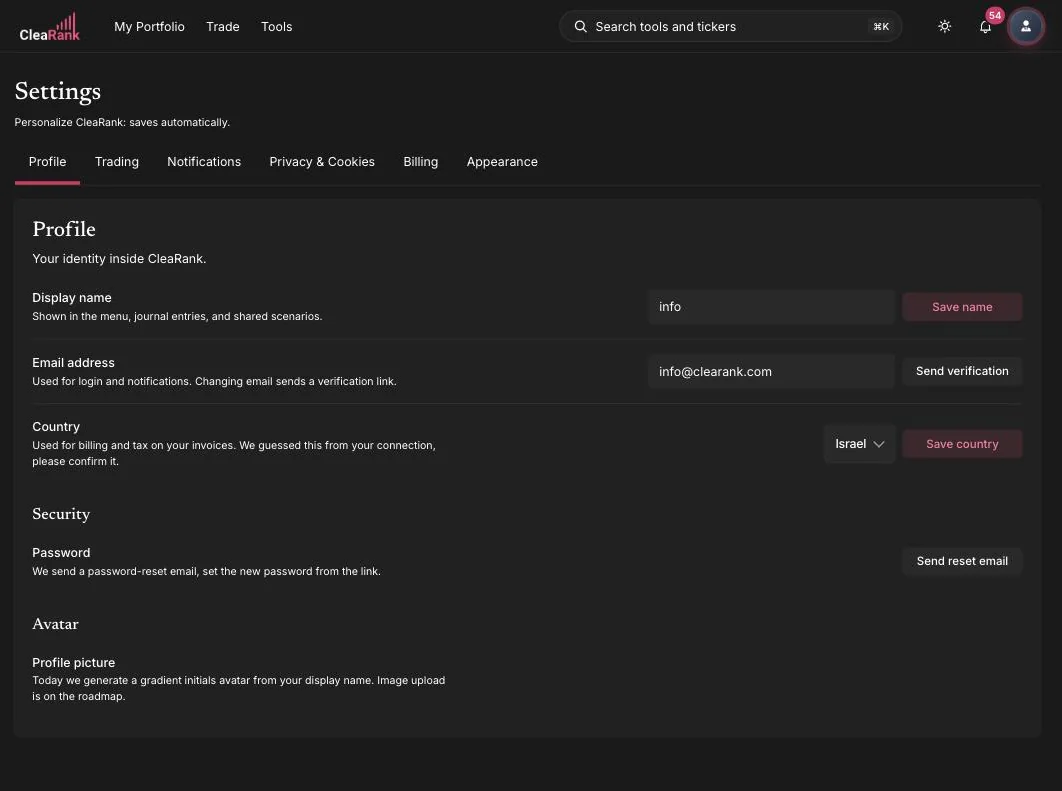
CleaRank uses a consent banner on its websites, and analytics respect your choice: if you decline, optional analytics are not recorded. You can review and change your consent decision from Settings > Privacy & Cookies in the app.
Exporting your data
You can take your data with you at any time. All 11 calculators export to PDF and CSV. Other tools vary, and several export JSON only. Journals export trade history as CSV and a summary report as PDF, and Settings > Privacy & Cookies includes export controls for your account data. For the per-tool breakdown, see Exports, Saved Scenarios, and Cross-Tool Workflow.
Deleting your account: 30-day grace period
Account deletion starts in Settings > Privacy & Cookies, and it happens in two stages: your account is deactivated immediately, and after a 30-day grace period the deletion becomes permanent. Within those 30 days you can sign back in and cancel the deletion. This protects you from losing years of journal history to an impulsive click.
What CleaRank is not
Worth stating plainly: CleaRank is a planning, practice, and research platform. It does not custody funds, hold client money, or execute real trades on your behalf. Simulator balances are virtual practice balances that exist for education only.
Frequently asked questions
Who can see my simulator trades and journals?
Only you, when signed in to your account. Your CleaRank data is tied to your login and is not shared with other users.
Does CleaRank store my credit card number?
No. Card details are handled and stored by a PCI-DSS Level 1 certified payment provider. CleaRank keeps plan and invoice records, not card numbers.
Can I opt out of analytics?
Yes. Decline in the consent banner, or change your choice later from Settings > Privacy & Cookies.
How long do I have to undo an account deletion?
30 days. Sign back in during the grace period and cancel the deletion. After that it is permanent.
Your workbench, your data
Create an account and stay in control from day one.
Related articles
CleaRank tools are for education and analysis. Nothing in this guide is financial advice.